Best Stream Upgrades - How to Master Lighting and Create a Glowing Setup
Peripherals
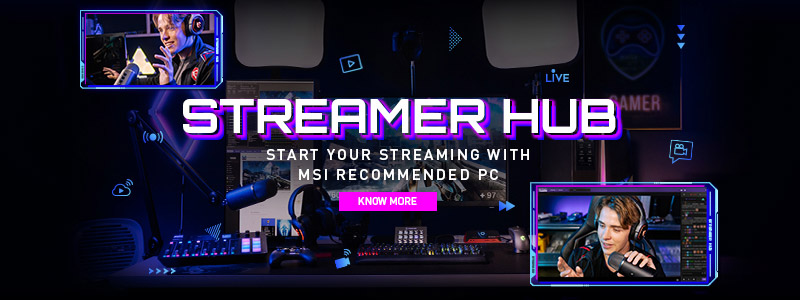
Are you looking for the best way to create an immersive live-streaming setup that guests and viewers will adore? Upgrading your stream room with glowing lights is one of the hottest trends right now, taking Twitch, YouTube Live and other streaming platforms by storm. You don't need a big budget or advanced technical skills to take your gaming streams to the next level.
More and more people are becoming Twitch streamers competing for a share of the platform’s rapidly growing audience. However, to make your stream stand out, you must ensure it is visually appealing to viewers. To accomplish this, you must master lighting and create a glowing setup.When it comes to creating the right atmosphere for your gaming stream, lighting is key. Without proper lighting, all the other components of your streaming setup will be useless. Properly lit streams help keep viewers engaged in the content, provide an immersive experience and convey the right message
How to Create Your Gaming Atmosphere
You can create an immersive atmosphere that will quickly draw people in by using this solution:
- Mystic Light in MSI Center
- Ring light
- RGB lighting
- Keyboard
- Headphones
Setting up a stream room can be intimidating for beginners, but one of the first skills to master is lighting your stream. You can create a glowing and visually appealing atmosphere with the proper lighting. With the addition of modern lighting options, like RGBs, mice, and MSI mystic lights, you have a range of ways to get creative when it comes to brightening your space. Knowing how to angle and move the lights around is critical for achieving the desired effect.
While there is no one size fits all approach, it is essential to consider your color temperature and brightness levels to curate a look that works in harmony with the rest of your setup. Take time to think about what kind of look you'd like to achieve, and experiment using ring, softbox, or studio lights until you find the right mix that makes your space come alive.
Not only will it make your space look brighter and livelier, but it will also give a professional finish to your scene that will boost viewer engagement and help you become a successful streamer.
Mystic Light in MSI Center

MYSTIC LIGHT is a powerful and versatile RGB solution that provides users with an all-in-one application to control their RGB LED light effects. With this solution, gamers, streamers and enthusiasts can create a custom RGB gaming PC that reflects their style and personality.
The solution can be easily downloaded via MSI Center, providing users with a convenient way to access the latest version of the solution. Once installed, the solution allows users to control the RGB LED light effects of MSI and validated partner products, including RGB motherboards, graphics cards, and other components. This provides gamers with a wide range of customization options to create their ideal gaming environment. Whether you want to create a peaceful and calming atmosphere with soft pastel colors or a more intense and energetic atmosphere with bold, bright hues, MYSTIC LIGHT solution can help you achieve your desired streaming effect. So, if you're looking to create a gaming PC that truly stands out, let's get hyped with the glowing vibes of MYSTIC LIGHT solution!
RGB Lighting
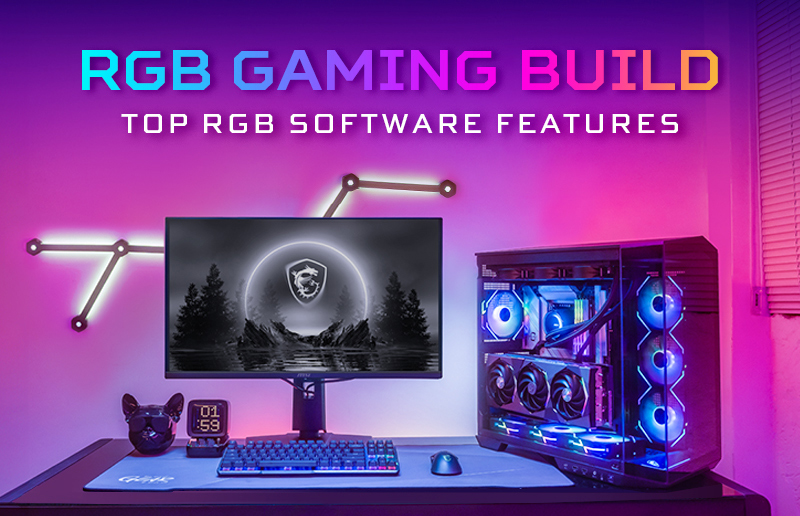
RGB lighting is the perfect way to add an extra layer of personalization to your setup. With all the available options, the possibilities are endless. On your motherboard, keyboard, and mouse, there are a variety of colors and effects for you to explore to express your style. Some tips to consider when picking out the perfect color scheme and lighting effects include using a complimentary color wheel and finding Nanoleaf different panel layouts that best mirror your creative vision. For a complete look, sync up the lighting pattern across all your devices for a cohesive atmosphere. If you need help figuring out where to start, use MSI Mystic Light App to guide you on what looks best.
Ring Light
Ring lights are a popular and versatile tool streamers and other content creators use. Using one light source evenly distributed in a halo around the lens, they can provide an even light to a subject or scene. This is especially helpful when streaming because it prevents harsh shadows from appearing and creates a better appearance for viewers. Streamers typically use them towards the edge of the frame directly in front of the face, creating a perfectly lit angle for their online videos. Ring lights also come with color temperature controls which make it even easier for them to customize their lighting setup to their liking. Another popular feature that some brands offer is built-in LED monitors, which provide real-time feedback on what lighting effect is being applied while streaming.
Gaming Keyboard

A gaming keyboard is a great way to add personality to your setup. Many keyboards come with customizable backlighting, allowing you to set the perfect mood for your session. With RGB lighting and unique design features, it's easy to find a keyboard matching your style. Additionally, many gaming keyboards have extra features such as macro keys and media controls, giving you more control over your gaming experience.
Headphones
When it comes to streaming, having a good pair of headphones is essential. They provide superior sound quality and allow you to monitor your audio levels and access other advanced settings that can help make your streams even better. Moreover, many models come with RGB lighting options– giving you yet another way to add some extra flair to your setup. Of all your gear, headphones are often the most in view, so picking out a set that matches the rest of your setup is key.
Gaming Mouse
A gaming mouse is a specially designed computer mouse that offers high levels of performance, with functionalities such as adjustable sensitivities and more programmable buttons to provide gamers with improved accuracy and control. Streamers who like playing games often utilize gaming mice to gain an edge in the competition. These mice feature lighting systems, usually composed of LEDs, which can be customized with different colors and styles depending on their preferences. This provides a unique look for each streamer's mouse and enhances their visual presentation when streaming or competing.
Final Thoughts
Whether you're a novice or experienced gamer, sprucing up your setup with modern lighting options can transform it from dull to dynamic! With an array of products and the RGB spectrum at your fingertips, experimentation is key. Different colors will give off different vibes - find which one reflects your persona or interests for the most satisfying experience. You can also adjust temperature and brightness levels accordingly - what looks good on someone else's stream may not necessarily work in yours; so be sure to test various shades before committing!

Learn More:
Get Hyped with the Glowing Vibes
The Minimum Specs For A Streaming PC Build
Top PC Hardware Upgrades to Improve Your Streaming Experience
Get Hyped with the Glowing Vibes
The Minimum Specs For A Streaming PC Build
Top PC Hardware Upgrades to Improve Your Streaming Experience

Chris Grayson is the founder of streamscheme.com, a website devoted to helping content creators build successful online businesses.
He has a content and influencer coaching background, and he uses this knowledge to design actionable advice for new and intermediate streamers.