Revolutionize Your Desktop PC with a 13-Inch Touchscreen: Introducing AI HMI
Desktops
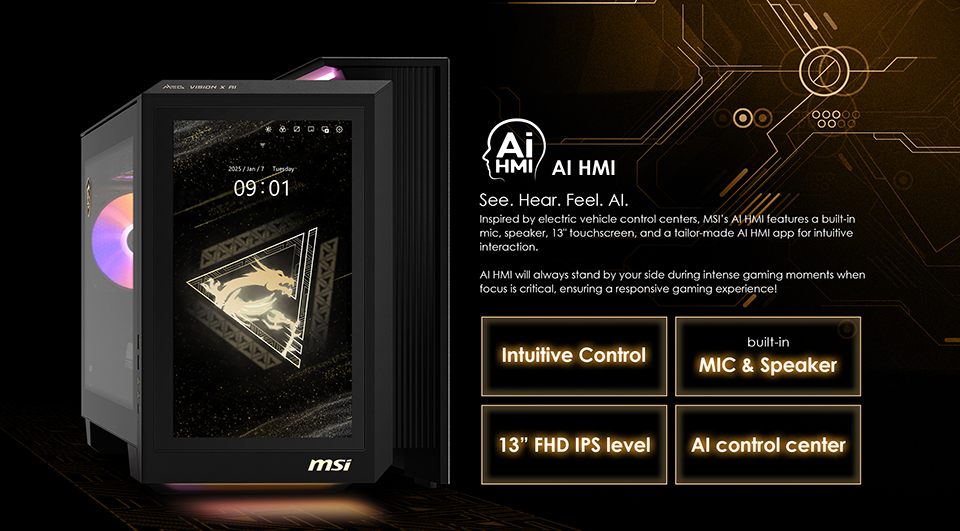
When people use a PC, they often want to monitor the system status to ensure everything is running smoothly. This allows them to quickly troubleshoot if any issues arise. Typically, users rely on an additional LCD panel as a hardware monitor, so their primary screen remains clear without software overlays. The MEG Vision X AI features a 13-inch touchscreen LCD panel positioned in front of the PC, known as the AI HMI. This panel offers a larger display and interactive functions, making it easier and more convenient for users to manage their system. It also supports a variety of use cases to enhance daily tasks. Today, we will show you how to use the AI HMI to make your everyday PC experience more convenient and enjoyable.
What is AI HMI?
Inspired by automotive design concepts, we have incorporated a 13-inch touchscreen LCD panel in front of the PC system. This allows users to interact directly with the PC through touch or voice control. The AI HMI offers an intuitive and seamless experience, whether you’re playing games, watching videos, or doing light work. Similar to a Human-Machine Interface (HMI) design, this panel integrates various AI functions that help users quickly and easily access AI assistance. Below, we provide several use cases to illustrate its benefits. Let’s take a look!
A Bigger Screen for Monitoring Your PC status – Hardware Monitor
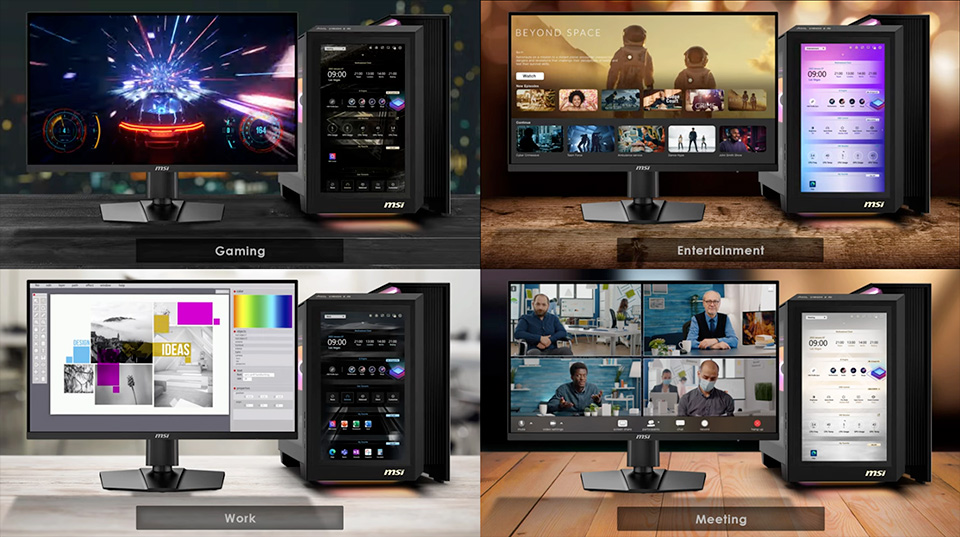
As mentioned earlier, hardware monitoring has become an essential feature for users. Additionally, many gamers rely on FPS (frames per second) monitor software to keep track of their game’s performance. However, displaying this information usually requires sacrificing valuable screen space, which can negatively impact the gaming experience. MEG Vision X AI addresses this challenge by providing a larger touchscreen display. This allows users to monitor a wide range of system information without obstructing the game view, ensuring a clear and immersive gaming screen. The AI HMI application uses a visually rich design to present hardware status. This intuitive layout helps users quickly identify if any components require attention or further inspection.
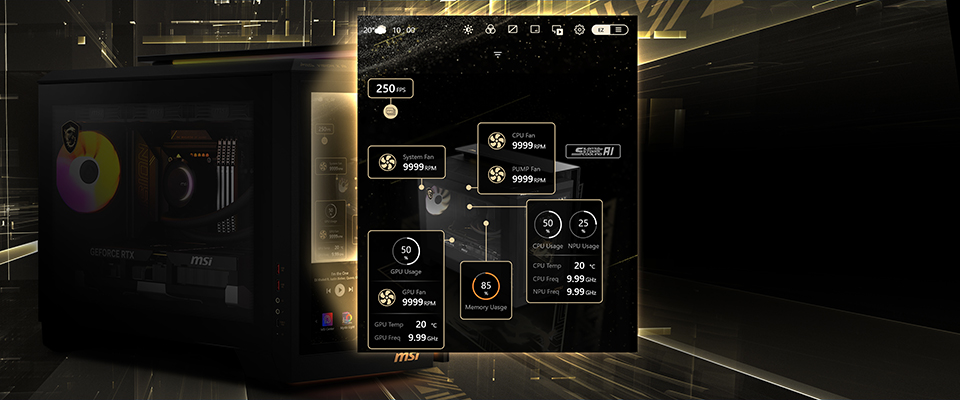
Your Best Game Helper – Game Guide, Walkthrough, or Tutorial Display.
When playing games, users often face challenges or obstacles that require searching for tutorials, walkthroughs, or guides to progress. The AI HMI offers an excellent solution for gamers by utilizing a secondary display panel. This additional touchscreen panel can show game-related information such as tutorials, walkthroughs, or guides without covering or interrupting the primary gaming screen. Gamers can also use voice input to search for helpful content seamlessly, allowing them to continue playing without pausing or switching devices. With AI HMI, finding in-game help becomes faster and more convenient, enhancing the overall gaming experience.
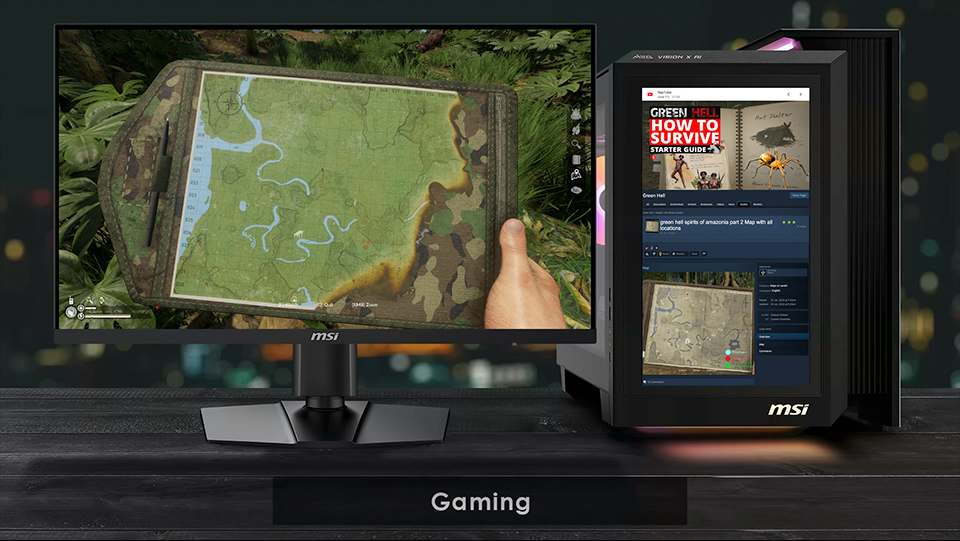
Users don’t need to keep switching from windows while playing a game for further information. Just search in the secondary display when you’re playing a game.
Seamless Mobile Gaming Experience – Fully Compatible Mobile Game Display.
The AI HMI panel, located in front of the PC, features a 9:16 screen ratio, matching the same aspect ratio as most smartphones and tablets. This allows users to enjoy mobile games and short videos smoothly and naturally on the display. With support for apps like MSI App Player and Google Play Games, users can easily play mobile games directly on the AI HMI panel without interruption. Additionally, by using Windows Phone Link, you can mirror your smartphone’s screen onto the AI HMI panel, making it possible to play mobile games that only run on your phone. This design offers a seamless and immersive mobile gaming experience, all conveniently accessible from your PC setup.
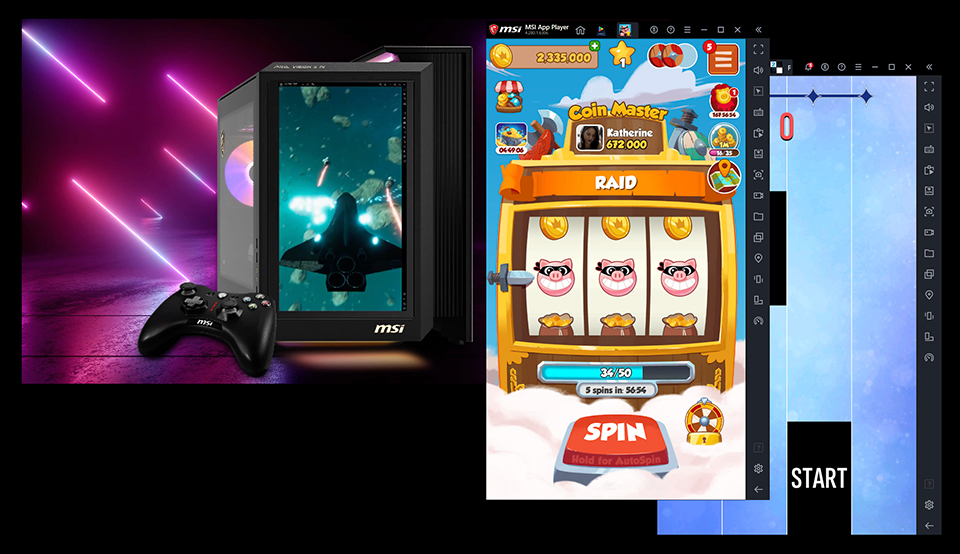
We think AI HMI is the best screen for an idle game; then you can glance at the game status and react quickly.
Not Only Interact with Your PC, But Also Communicate with People – The Best Communication Window.
In a livestream setup, the primary screen usually displays the gameplay or the main topic, while the secondary screen is used for chat windows or backstage controls. This includes popular communication apps like WhatsApp, Messenger, or LINE. The AI HMI panel is designed with a touchscreen, built-in microphone, and speakers, making it an ideal communication hub. This allows the host to easily interact with the audience, even when working backstage, through voice or touch controls. With the AI HMI, livestream hosts can manage communication effortlessly without interrupting the main broadcast, ensuring a smooth and engaging experience for everyone involved.
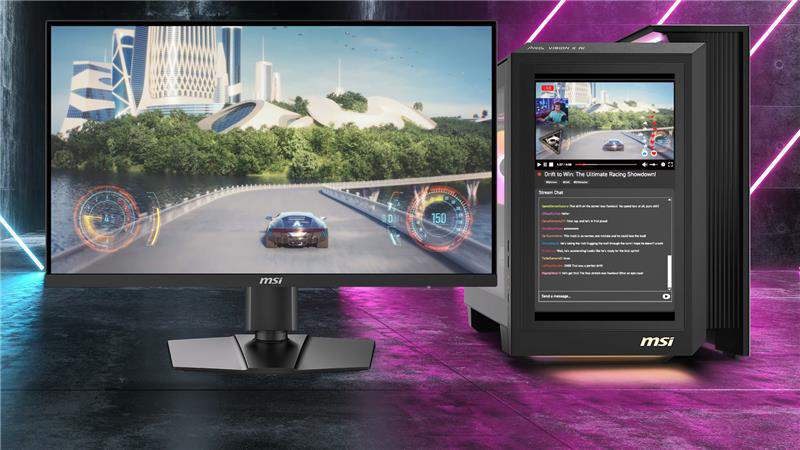
You can allocate the backstage control panel and chat window to the second display, then the primary monitor will be the complete screen without block windows.
A Gaming Desktop Is Not Just a PC, but Also a Stunning Decoration – The Animation Control Screen.
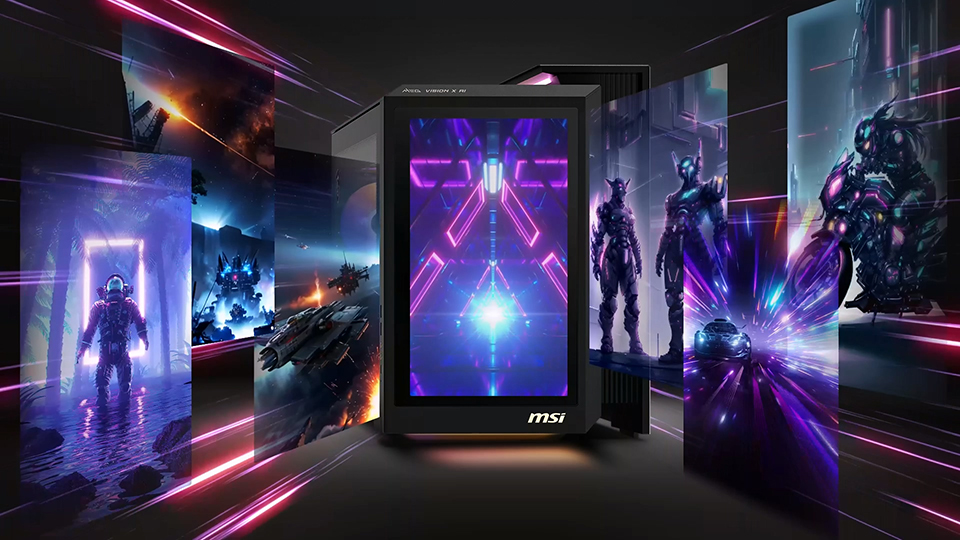
RGB lighting is an essential part of any gaming desktop, as it reflects different moods and styles while you use your PC. To enhance this, the AI HMI application includes an animation control feature. Users can upload static images or animated wallpapers to display on the front LCD panel, allowing personalized visuals right on the AI HMI screen. What’s more, this display can sync perfectly with the RGB lighting of the entire desktop setup. Whether you want a calming ambiance or an energetic vibe, you can easily decorate your gaming PC to match your mood and express your unique style.
Multi-task to enhance your working experience and flow – Virtual Whiteboard.
Since the rise of remote work after COVID-19, many people prefer powerful PC systems that can handle multiple tasks smoothly. The MEG Vision X AI is designed with the latest hardware to easily support multitasking and improve productivity. When working from home, online meetings with colleagues have become routine. While the main screen can display your meeting window, the AI HMI panel serves as a valuable assistant. You can use the secondary touchscreen as a virtual whiteboard to quickly jot down notes, ideas, or key points during the discussion. This helps you stay organized and be ready when it’s your turn to speak. Additionally, you can switch the meeting window to the AI HMI panel, freeing up your primary screen for other important tasks like checking emails, managing your calendar, or working on documents. This seamless multitasking setup helps you maintain focus and boosts your overall efficiency.
With the AI HMI’s virtual whiteboard and flexible display options, your work-from-home experience becomes more productive and fluid.
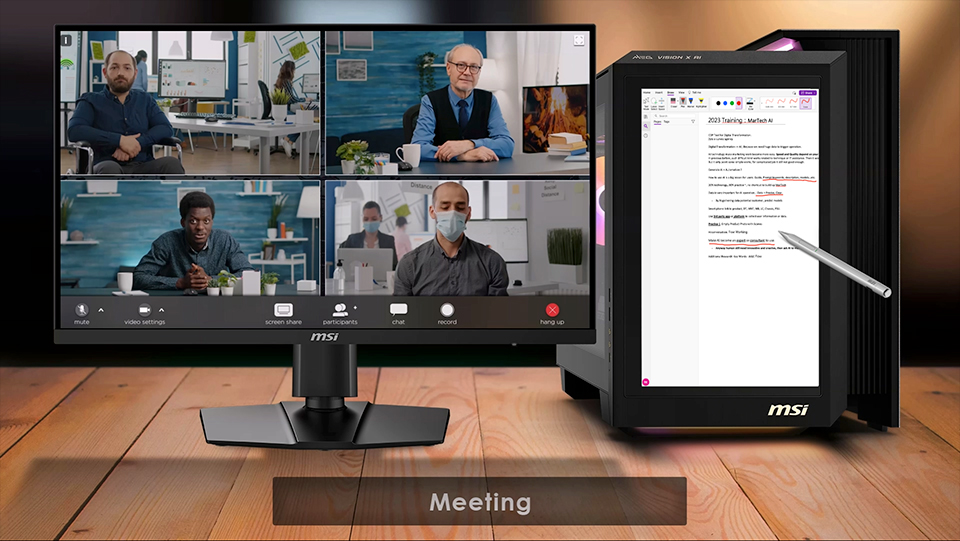
AI HMI is a 13-inch touch panel, which you can use a touch pen to write or draw down your ideas or quick notes.
There are still many use cases under your discovery. If you are interested in the AI HMI application tutorial or details, please visit the link below for more information.
https://uk.msi.com/blog/ai-hmi-walkthrough-from-setup-to-advanced-features
https://uk.msi.com/blog/ai-hmi-walkthrough-from-setup-to-advanced-features
Product Information
MEG Vision X AI 2nd:
https://uk.msi.com/Desktop/MEG-Vision-X-AI-2nd
https://uk.msi.com/Desktop/MEG-Vision-X-AI-2nd
For more information about the MSI AI PC solution, please check here:
https://uk.msi.com/Landing/MSI-AI-PC-Desktops
https://uk.msi.com/Landing/MSI-AI-PC-Desktops