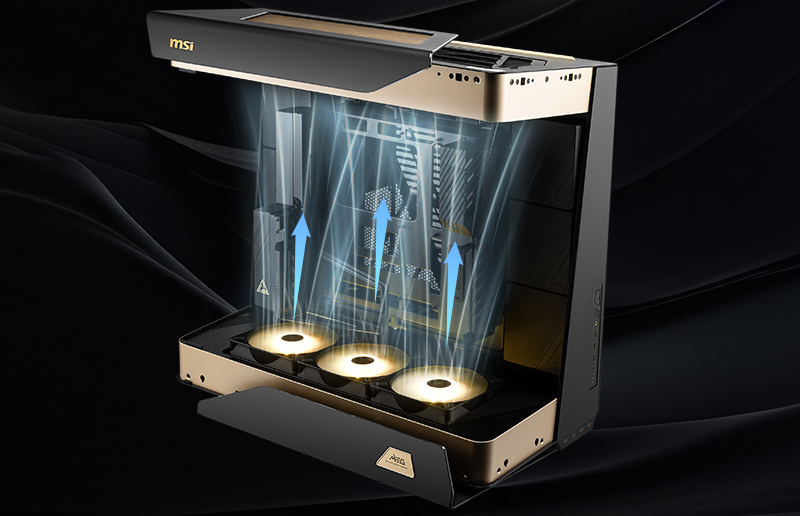
In-Depth Look at Silent Storm Cooling AI: A Revolutionary Leap in Next-Gen Gaming Thermals
Desktops
Silent Storm Cooling AI builds on the foundation of MSI’s signature Silent Storm Cooling technology, now enhanced with artificial intelligence. This next-gen thermal system uses compartmentalized airflow and AI-driven fan control to keep system temperatures in the ideal range, creating a quieter and more stable gaming environment.
Inspired by Space Station Airlock Design: Compartmentalized Cooling Chambers
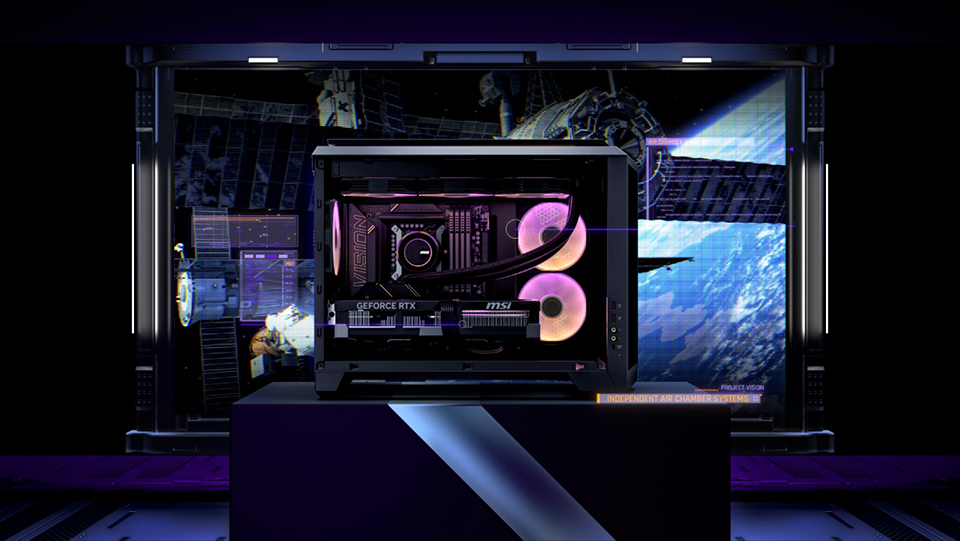
The Silent Storm Cooling design draws inspiration from airlock systems used in space stations. By isolating key components into independent chambers, the system prevents heat buildup and accelerates heat dissipation.
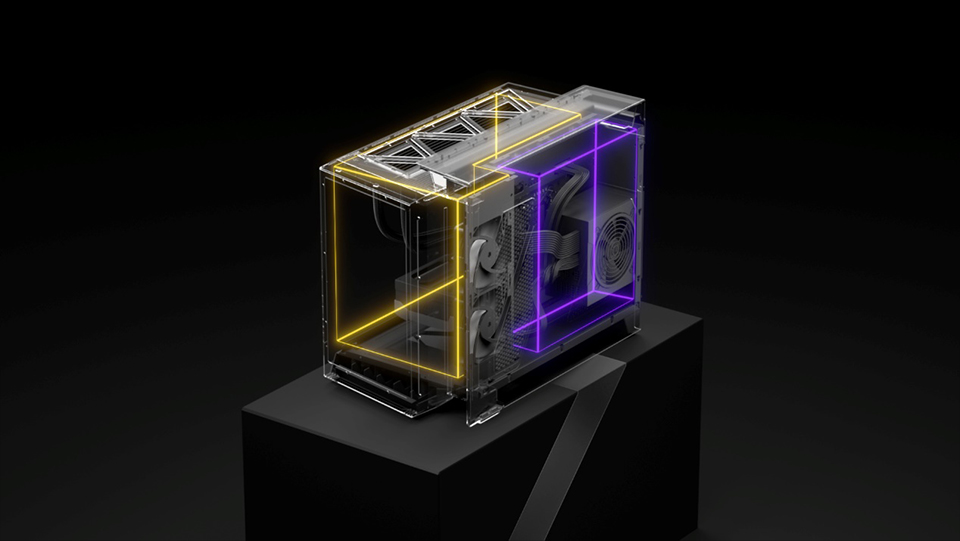
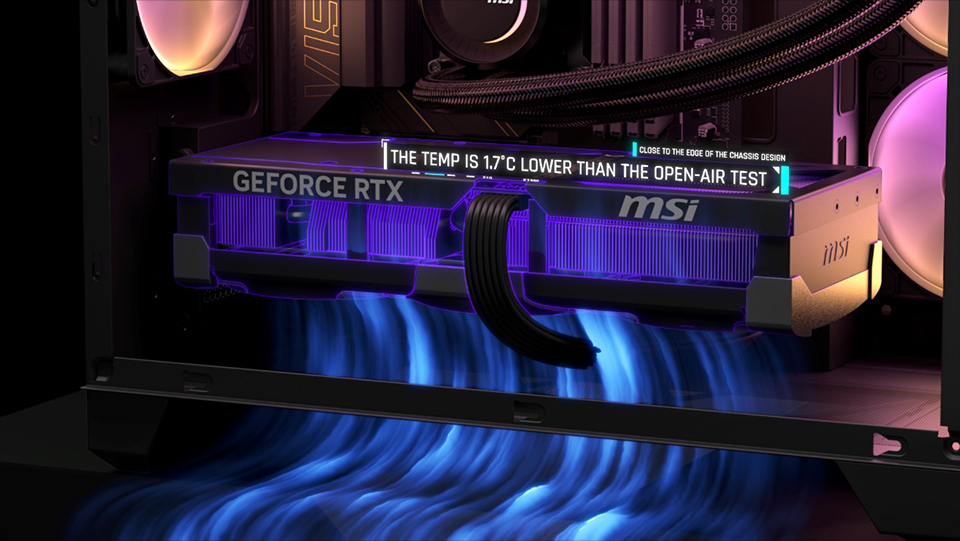
This layout optimizes internal airflow, ensuring that each component operates in a controlled thermal environment. Additionally, the GPU is positioned near the edge of the chassis, allowing it to intake cool air directly from outside, further improving cooling efficiency.
AI Algorithm: Real-Time Fan Speed Adjustment
Traditional cooling systems rely primarily on CPU temperature to control fans, which often leads to delayed responses when other critical components like the GPU or SSD heat up. In many cases, the fans only kick in after the CPU has been affected by rising system temperatures.

Without AI, fan reactions are slower and less precise.
In contrast, Silent Storm Cooling AI takes thermal management a step further by incorporating GPU and SSD temperature data, fan speed, and noise levels into its algorithm. It generates up to 36 distinct fan curve profiles, creating more refined mappings between temperature and fan speed. This allows for more comprehensive and precise cooling under high workloads. The technology not only helps prevent component overheating—enhancing system stability and smoothness—but also dynamically adjusts fan speeds based on the real-time temperatures of individual components, achieving quieter and more efficient thermal performance.

Once activated, the AI rapidly adjusts fans to cool down both the SSD and GPU.
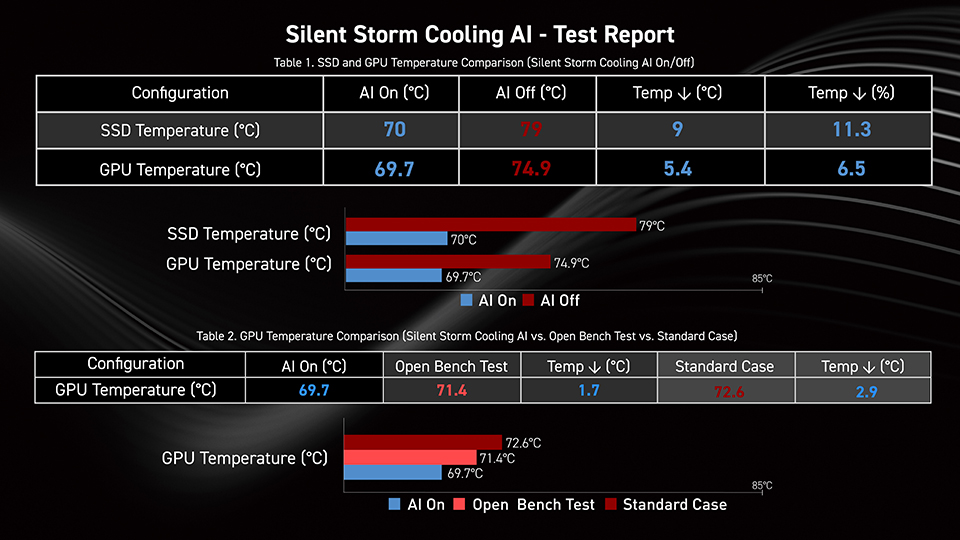
In GPU stress tests, Silent Storm Cooling AI demonstrated remarkable thermal improvements—lowering GPU temperatures by 5.4°C and reducing fan speeds by 23.2% compared to systems without AI support. Even against open-air bench setups, the AI-enabled in-chassis design performed better, achieving a 1.7°C lower GPU temperature and a 6% drop in fan speed—proving its real-world efficiency.
For SSDs, the benefits were just as significant. Under heavy load, AI-assisted cooling brought SSD temperatures down by 9°C, resulting in an 11.3% boost in overall cooling efficiency—vital for maintaining the stability of high-speed Gen 5 SSDs.
In broader system tests versus standard chassis configurations, the AI cooling system delivered a 4.3°C drop in GPU temperature (a 5.9% improvement), along with a 14% reduction in GPU fan speed—effectively breaking through the thermal bottlenecks that often limit high-performance hardware.
Glacier Armor Heatsink: Pushing Cooling Even Further
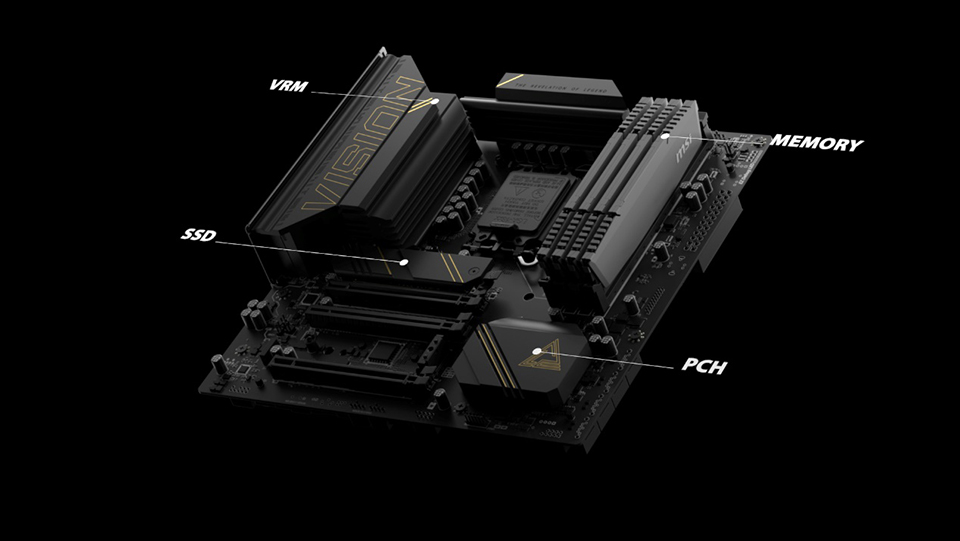
To further enhance thermal performance, Glacier Armor heatsinks are strategically placed to cover key components such as VRMs, SSDs, memory modules, and the PCH. By increasing surface area and using materials with excellent thermal conductivity, Glacier Armor ensures long-term system stability.
Performance Highlights:
Performance Highlights:
- SSD temperatures dropped by 25%, enhancing read/write stability.
- VRM temperatures dropped by 20%, ensuring more consistent CPU performance.
AI-Powered Cooling: Unlocking Maximum Gaming Performance
Silent Storm Cooling AI is a cutting-edge thermal system crafted for gamers. By combining compartmentalized airflow design with intelligent AI regulation, it dramatically improves overall cooling efficiency.
Whether you're diving into immersive 4K gaming or pushing the limits in competitive esports, MSI Gaming Desktops powered by Silent Storm Cooling AI deliver quiet, stable, and reliable performance—freeing your hardware to perform at its full potential, with zero compromise.
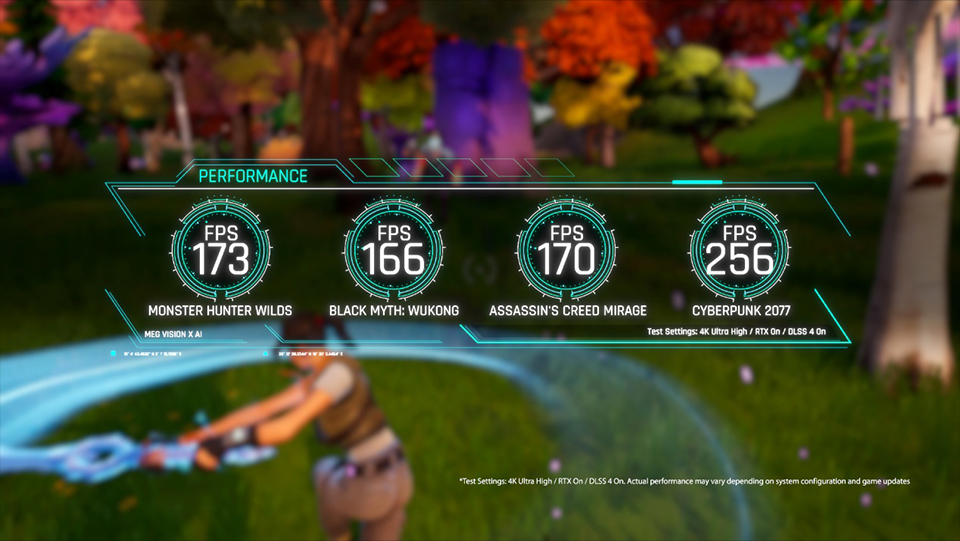

Finally, if you are interested in playing different games on MSI gaming desktops and monitors, you can visit our website to find a suitable setup. Select the game you want to play and your preferred monitor size and resolution, and the system will show you how the game performs.
Game Benchmark: Link
Game Benchmark: Link
MSI Gaming Desktop RTX 50 Series List
MEG Vision X AI Gaming Desktop
MPG Infinite X3 AI Gaming Desktop
MPG Trident AS AI Gaming Desktop
MAG Infinite S3 Gaming Desktop
MEG Vision X AI Gaming Desktop
MPG Infinite X3 AI Gaming Desktop
MPG Trident AS AI Gaming Desktop
MAG Infinite S3 Gaming Desktop