How to Choose the Best Gaming PC: Custom vs. Prebuilt and Core Specs Explained
Desktops
Quick Answer (TL;DR): Custom PCs offer excellent performance-per-dollar, full personalization, and easier upgrades, while Prebuilt PCs give you access to plug-and-play convenience and a single manufacturer warranty for a hassle-free service and support experience.
Feature / Metric
Custom-Built PC
Prebuilt PC
Setup Experience
Time-Intensive: Requires research, skill, and hands-on assembly.
Plug-and-Play: Arrives professionally assembled and tested.
Hardware Control
Absolute Control: You hand-pick every part, from the CPU down to the power supply.
Limited Choice: You pick core parts (such as CPU/GPU); manufacturer controls the rest.
Warranty & Support
Fragmented: You manage individual warranties and self-diagnose technical issues.
Comprehensive: One single point of contact for all troubleshooting, replacements, or repairs.
Cost & Budgeting
Optimized Allocation: Spend every dollar exactly where you want it most.
Slightly Higher Cost: You pay a premium for assembly, software, and convenience.
Future Upgradability
Guaranteed & Simple: Built with standard off-the-shelf parts for easy swapping.
Variable: Modern systems allow standard upgrades, but some brands use proprietary parts.
That was the quick answer, but if you want to dive into more detail and learn more – read on!
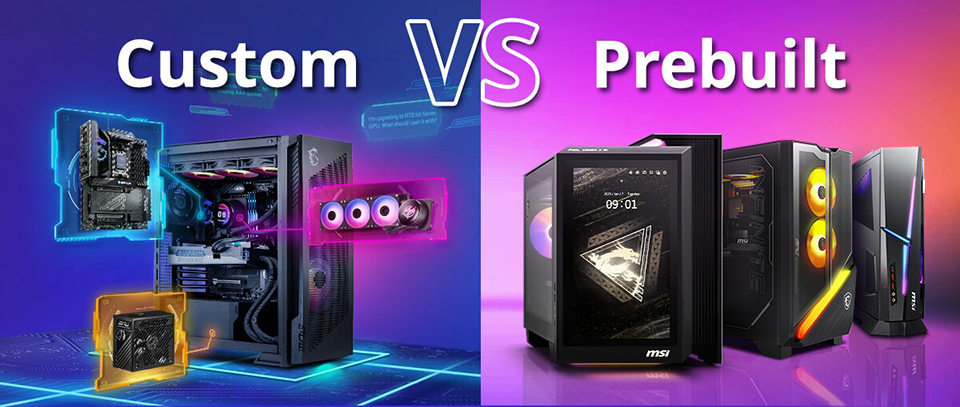
There are two basic ways to get a PC up and running and it all starts with the question ‘how will it be built?’ This decision shapes your experience, from the moment you order to the first time you power it on.
One path offers a factory-assembled, high-performance machine that's ready for action straight out of the box. The other is a hobby project that offers a deep dive into the tech that powers your gaming or work while allowing you to add a touch of your personality to it – making the machine uniquely yours.
The right choice depends entirely on what you value most. Do you prefer convenience or personalization?
Quick Navigation:
- Pros and Cons of Building a Gaming PC
- Pros and Cons of Buying a Prebuilt PC
- Core Specs You Must Know
- Quick Decision Checklist
Key Differences Between Prebuilt and Custom PCs: Which is Better?
What are the advantages of building a custom PC?
The single greatest advantage of a custom-built PC is the absolute control it gives you. You aren't just picking a processor and graphics card; you’re hand-picking every component that goes into your machine.
Complete Component Flexibility
You can decide on the tier of motherboard, the speed of RAM, and the efficiency of the power supply, among so many other details that are often set in stone or hidden in prebuilt specifications.
Easier Upgrades
Beyond the initial build, a custom PC is designed for the long haul. You have a clear and simple path for future upgrades because you’ll be using standard parts and hardware. When a new, more powerful graphics card is released in a few years, you can easily swap it in without worrying about compatibility or power constraints.
Optimized Budget Allocation
This added flexibility lets you adjust your budget. For example, you can allocate a larger chunk of your budget to the graphics card for a top-tier gaming experience or focus on the CPU and RAM for demanding creative work—ensuring every dollar is spent on what matters most to you.
A Rewarding Learning Experience
The process of picking parts and building your own machine is incredibly rewarding. It gives you a deeper understanding of how your components work together, which is invaluable for future troubleshooting and makes future upgrades less intimidating.
What are the disadvantages of a custom PC?
While a custom build lends full control to you, it also means you're in the driver's seat for support.
Self-Managed Technical Support
There’s no single customer service number to call if you run into an issue. You'll be the one diagnosing the problem and fixing it to get your PC back up and running.
Fragmented, Individual Component Warranties
You'll have to track and manage the warranty for each individual part. This requires a bit more organization, but it also means you're dealing directly with the component manufacturer.
Time and Skill Investment
The biggest perceived barrier for newcomers is the time and skill required. Research and assembly require an investment of your time, though helpful online resources have completely changed the game. That said, compatibility-checking websites do most of the research for you, and countless high-quality, step-by-step build guides (like this one) can walk you through the assembly.
Why should you buy a prebuilt PC?
The most compelling reason to choose a prebuilt PC is the instant, plug-and-play, and hassle-free experience it offers. If you’d rather get to gaming as soon as possible, a prebuilt is the way to go.
Plug-and-Play Convenience
When a prebuilt arrives at your doorstep, the hard work of assembling it has already been done for you. The system has been professionally assembled, the OS is installed, and every component has been tested to work with each other. You can unbox your new machine and get to playing your favorite game in mere minutes.
Comprehensive Warranty Coverage
A prebuilt PC comes with the peace of mind of a single, comprehensive warranty. If any part of the system has an issue, you have one point of contact (for instance, if you own an MSI prebuilt, you only need to head to MSI Care for service). This means you won't have to diagnose failing components or deal with multiple manufacturers – minimizing the stress of solving complex technical issues yourself.
Tight Hardware + Software Integration
Since a single manufacturer picks, assembles, and builds a prebuilt PC, it allows for much tighter or cohesive integration of hardware and software. For example, MSI Center can control things like the RGB lighting, cooling, monitor performance, and even overall performance of an MSI Gaming PC – ensuring you need only a single piece of software for personalizing your experience.
What are the downsides of a prebuilt PC?
The primary trade-off with a prebuilt PC is that you may give up some of the personalization and flexibility that comes with a custom build.
Limited Component Choice
The manufacturer picks specific models of components like the motherboard, power supply, and storage drives. While you can select core components like the CPU and GPU, you have less say over the smaller, yet still important, parts.
Slightly Higher Costs
Because you’re paying for the convenience of pro-grade assembly, software and OS installation, and a comprehensive warranty, prebuilts often come with a slightly higher cost.
Can you upgrade a prebuilt PC?
A common concern has always been upgradeability. Can you upgrade a prebuilt PC? The answer is – it depends on the manufacturer.
Standard vs. Proprietary Parts
While some older prebuilts and some manufacturers use proprietary parts that make upgrades difficult, many modern prebuilt machines, like MPG Infinite X3 AI 2nd Gaming Desktop, use standard, off-the-shelf components. This makes it much easier to swap in a new GPU, add more RAM, or expand your storage down the line.
Easy Upgrade Tools/Features
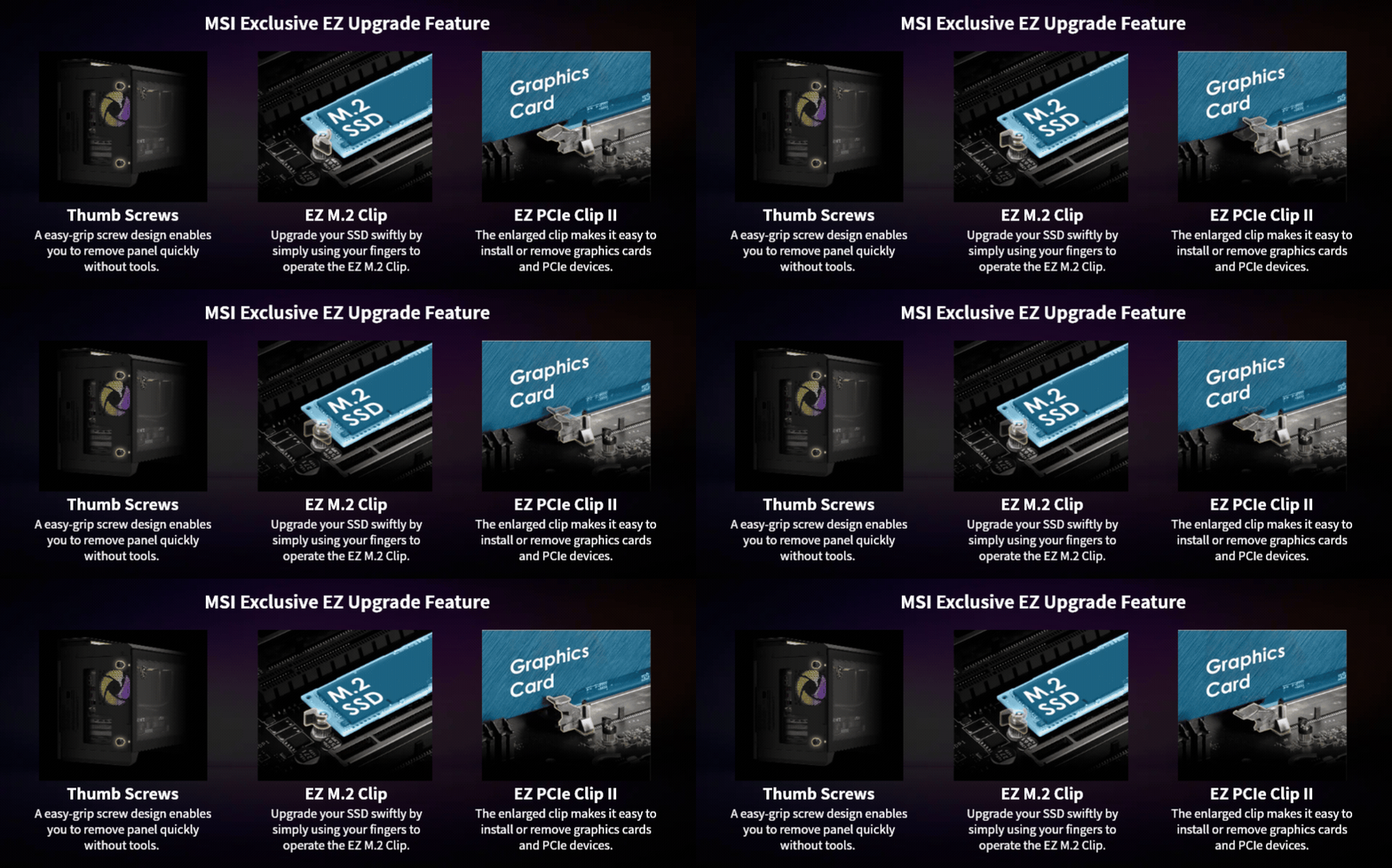
To make it even simpler, some prebuilt desktops from manufacturers like MSI include EZ Upgrade functionality for tool-less upgrades, designed specifically to help you keep your system current with minimal hassle. So, choosing a prebuilt PC today doesn't necessarily mean sacrificing your ability to upgrade tomorrow when you pick the right manufacturer.
What to Look for in the Best Gaming PC for you?
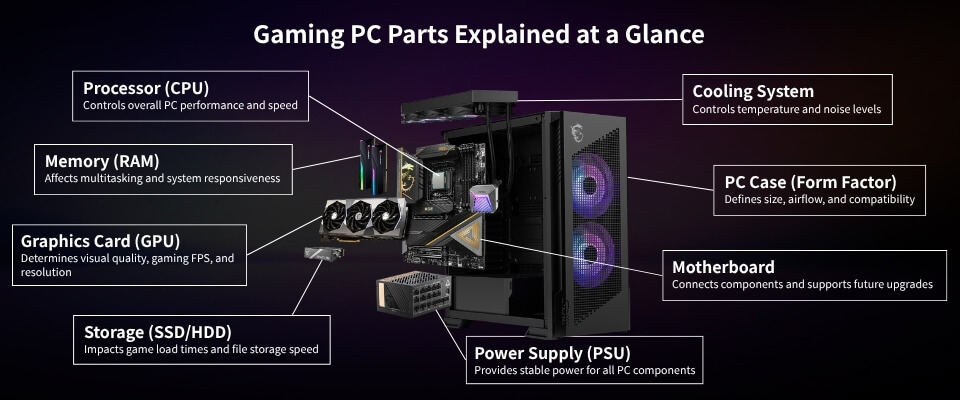
Quick Answer (TL;DR): Whether you decide on a prebuilt system or a custom build, the core components you choose still determine your PC's overall performance. So, before making a final decision, you should balance your PC’s processor, graphics card, memory (RAM), and storage to match your specific gaming and multitasking needs as well as your budget.
What CPU do you need for a gaming PC?
The CPU (Central Processing Unit) is responsible for most of the computing or ‘thinking’ in your PC. More powerful CPUs with more cores can improve overall speed, from booting up to running demanding applications. Here’s how to pick the right CPU from Intel and AMD.
How to Identify CPU Tiers
For both brands, a higher number in the initial product name generally indicates better performance and a higher tier of processor. Of course, there are exceptions to this rule, and you should look for benchmarks before settling on a pick.
Intel Tiers: Core Ultra 5 < Core Ultra 7 < Core Ultra 9
AMD Tiers: Ryzen 3 < Ryzen 5 < Ryzen 7 < Ryzen 9
Consider Workload-Specific Performance
Some processors offer fantastic performance for specific workloads while lagging in others. For example, the MPG Infinite Z3 X3D Gaming Desktop leverages AMD’s modern Ryzen processors with 3D V-Cache because they consistently top the charts in gaming benchmarks – making it an ideal pick for a high-end gaming machine.
How do you choose the right GPU for gaming?
The GPU (Graphics Processing Unit) is the most important component for gaming, streaming, and even many other creative tasks. A better GPU lets you play games at higher resolutions with graphics turned up to the max.
How to Read GPU Naming Conventions
GPU performance is identified by its product name (number). For GeForce graphics, the first two digits of the GPU name are reserved for the series (generation) number, while the last two indicate the performance tier within that same generation.
Generational Upgrades: RTX 30 Series < RTX 40 Series < RTX 50 Series
Peak GPU Performance in 2026
The new RTX 50 series GPUs represents the absolute best gaming performance available on shelves today. If you’re on the hunt for the pinnacle of graphics processing power, an RTX 5090 is an ideal choice. This is exactly why top-of-the-line prebuilts like the MEG Vision X AI 2nd come equipped with an RTX 5090.
How much RAM do you need for gaming in 2026?
RAM (Random Access Memory) is your PC’s short-term memory, and having more of it unlocks a better multitasking experience. If you plan to game, stream, leave 50 browser tabs open, and run Discord all at once, you'll need enough memory to handle it smoothly.
Capacity vs. Speed
Higher capacities allow for more applications to run simultaneously. Higher RAM speeds allow for faster swapping of data, which is highly relevant when your CPU is left waiting on your memory to finish reading or writing data.
Recommended RAM Capacities
- 16GB: The recommended minimum standard for a modern gaming PC in early 2026.
- 32GB+: Ideal for heavy multitasking, streaming, playing the latest AAA games, or professional creative work.
Quick Checklist to Decide Between a Prebuilt PC or a Custom PC
Now that you have enough knowledge to identify the right way to go for your next PC, it’s time to pick. This checklist should help you narrow down your choice!
Go with a Custom PC if 2 or more appeal to you:
- Full control: You want to hand-pick every specific part for your exact needs.
- Maximize value: Getting the absolute best performance per dollar is your top priority.
- The DIY itch: You view researching and building as a fun, rewarding project.
- Easy upgrades: You want to easily swap out individual parts as tech evolves.
Go with a Prebuilt PC if 2 or more appeal to you:
- Zero downtime: You need a working machine immediately, right out of the box.
- Single support: You want a single system warranty and one tech support number to call.
- No assembly anxiety: You prefer to avoid the stress of handling delicate hardware yourself.
- Plug-and-play: You want the operating system and drivers pre-installed and ready to go.
All in all, there’s really no wrong answer here. You’ll get a solid gaming experience regardless of your final pick.
If all things considered, you've decided that the plug-and-play convenience and peace of mind of a prebuilt PC is the way to go, the next step is finding the exact system that matches your gaming or creative needs.
You can explore a wide range of powerful, ready-to-game options and find your perfect PC by checking out prebuilt gaming desktop options here.


