The B840M GAMING PLUS WIFI6E is crafted to offer extensive connectivity, versatile tools, and Wi-Fi solution for gamers seeking a comprehensive experience. Featuring Wi-Fi 6E, 2.5G LAN, PCIe 4.0 solution and exclusive EZ DIY features, it is ready for 24/7 non-stop gaming optimized for AMD Ryzen™ 9000 series processors.


Less steps, control easily

7+2+1 Phase Direct CPU Power

Extended Heatsink Design

2.5G LAN & Wi-Fi 6E

One-Click overclock

Optimized UI / UX design

Ready for AI PC
MSI motherboards are designed with advanced hardware and technology, well-supporting the demanding computing usage of gaming and AI. Moreover, we also introduce AI to MSI Center and BIOS, making everything more effortless than before.
AI Engine
provides several categories for you to sync the applications you want to perform and automatically optimizing them to create a comfortable environment.
AI LAN MANAGER
optimizes networking performance and minimizes latency, providing a seamless online experience.
Frozr AI Cooling
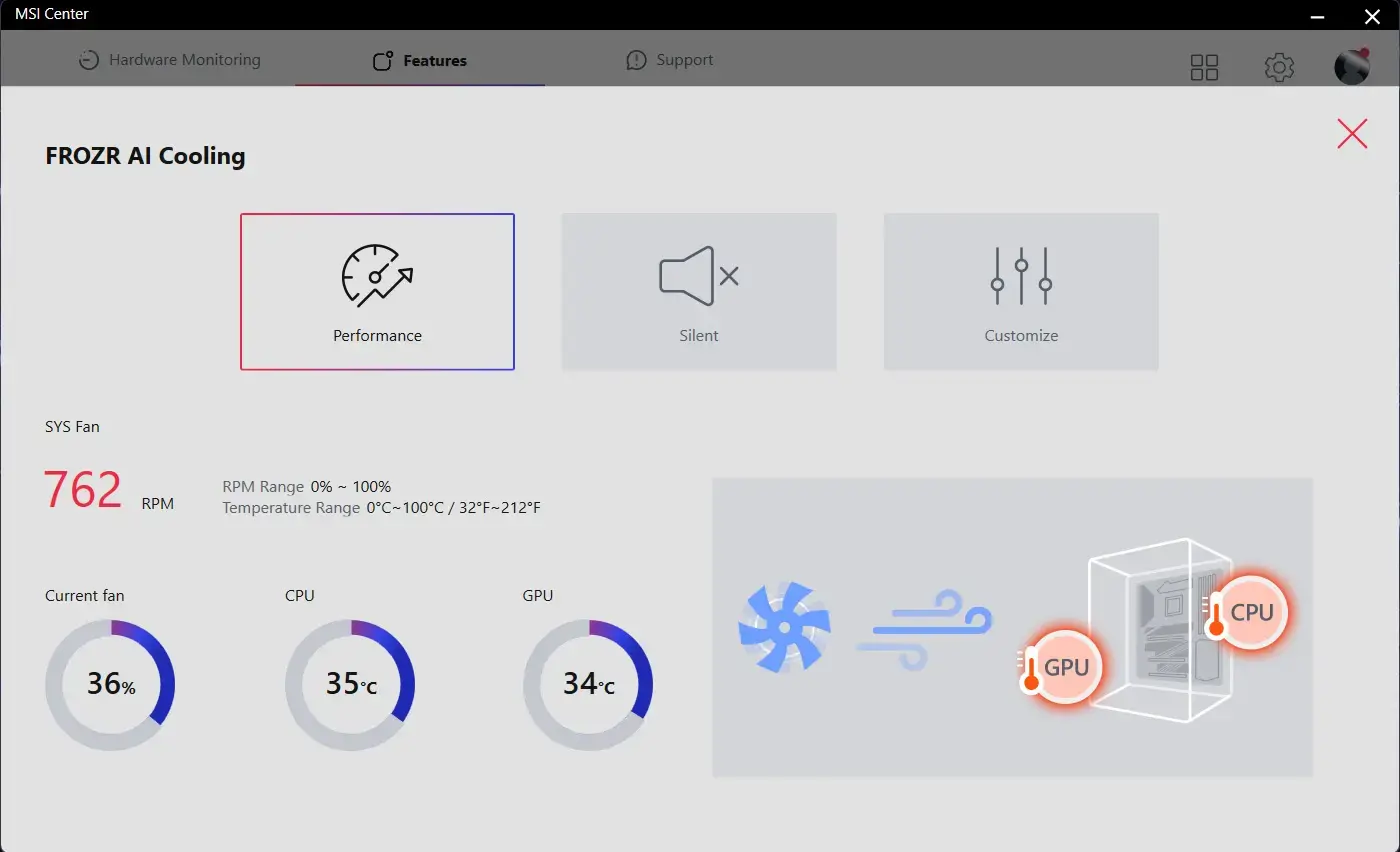
automatically adjusts fan duty to make sure the system stays in cool, stable and high performance.
AI Boost
is an MSI exclusive feature. It overclocks NPU to improve higher AI performance.
OPTIMAL EFFICIENCY


Extended Heatsink

M.2 Shield Frozr

Heatsink with
7W/mK Thermal Pad

6-Layer 2oz Copper PCB
HIGH-SPEED TRANSMISSION


HDMI™ 2.1

2.5G LAN

Wi-Fi 6E

Latest DDR5 Memory

Lightning Gen 4 PCIe

M.2 Connectors
EFFORTLESS ASSEMBLY


Pre-installed I/O Shield

Steel Armor

EZ Debug LED

EZ PCIe Clip II
EZ DIY
- ONE-FINGER
- ONE HAND
- ONE STEP
- ONE GLANCE
- ONE CLICK
- EZ M.2 INSTALLATION
- EZ GPU INSTALLATION
- EZ BUTTON
MSI’s exclusive EZ M.2 CLIP II makes M.2 installation seamless. Insert the SSD card into the slot and press it down to lock it in place with the clip. As fasten the SSD, flick the clip outwards and then the SSD is removed. The process is smooth, and you don’t need to use your tools like before. One finger can give you perfect DIY experience.

Introducing MSI’s EZ M.2 CLIP II Remover, a handy tool designed to simply switching or repositioning the EZ M.2 CLIP II on your motherboard. This tool allows users to effortlessly detach the EZ M.2 CLIP II from the motherboard and reattach it to any desired M.2 slot. It is included in the accessory kit that comes with MSI motherboards.

One Finger for EZ GPU Installation
The new EZ PCIe Clip II, located on the first slot, features the rebounding force mechanism that allows for easy removal of the graphics card by pressing the tail-like lock with one finger. Due to this exquisite design, users can uninstall the graphics cards effortlessly, even in the cramped case spaces.


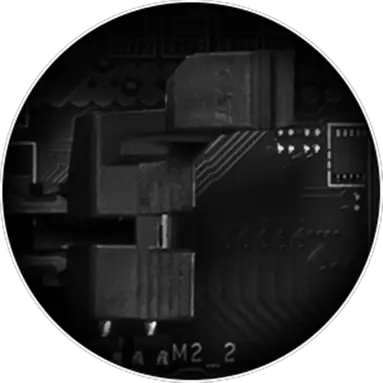
MORE FOR DIY FRIENDLY

CPU and memory not required. Leam more

- EZ Mounting
EZ MOUNTING
MSI motherboards circuitry ensure the case standoff keep out zones are pure and clean. Moreover, the protective paint is printed around each screw hole to prevent parts from being scratched or damaged to the motherboard.

Avoid Collision Notification

Keep Out Zone

Double ESD Protection
- EZ Antenna
- EZ Conn-Design
- DRIVER UTILITY INSTALLER
MSI EZ Antenna makes the process effortless by simply attaching fasteners to the motherboard without rotation.


The MSI exclusive JAF_1 header allows MPG EZ120 ARGB fan to operate with a single cable. Alternatively, the JAF_1 header can be converted into additional ARGB Gen 1 and fan headers by using a dedicated 1-to-2 EZ Conn-cable, streamlining and optimizing the entire building process.


MSI DRIVER UTILITY INSTALLER
Once connected to the internet, MSI Driver Utility Installer will detect and present suitable drivers and utilities automatically, you can download and install with just a few clicks. Learn more
*Please ensure to connect the internet, or the Driver Utility Installer won’t launch automatically.
*MSI Driver Utility Installer will be ready in Windows 11 build 22H2.

- EZ DEBUG
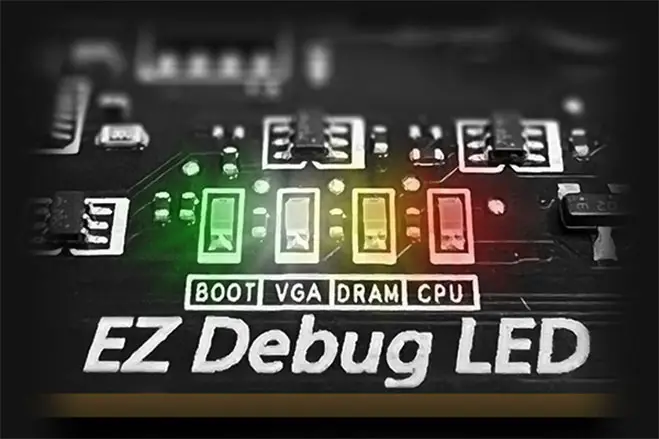
EZ DEBUG LED
Onboard LEDs will indicate the source of the problem so you know exactly where to look to get up and running again.

EZ Memory Detection LED
This LED lights up when it detects faulty memory in slots, eliminating guesswork from troubleshooting.
- EZ OVERCLOCKING
- EZ Optimization
EZ Ooverclocking
While overclocking can be overly complex for some, MSI Click BIOS X made it more accessible with multiple one-click overclock features for both processor and memory, allowing users to easily enhance system performance without delving into intricate settings.
-

AI BOOST
An intelligent algorithm boosts NPU performance to get the best possible AI performance when you need additional horsepower.
*Enabled with compatible processors. -

EXPO / A-XMP
Choose from preset EXPO and A-XMP profiles to automatically overclock compatible DDR memory for optimal performance.

A host of features inject artificial intelligence into key aspects of your computing experience to make smarter, real-time optimizations. The MSI Center offers a clean, minimal interface to customize and manage your PC settings. The AI Engine, for example, automatically adjusts settings based on the applications you're using, ensuring seamless performance.

ULTRA PERFORMANCE
- Power Solution
- memory
- PROTECTION
- MORE FOR PERFORMANCE
MORE FOR PERFORMANCE


- HIGH-EFFICIENCY MODE
- Latency Killer
The High-Efficiency Mode is designed to optimize memory performance by increasing memory bandwidth and reducing latency. With the four sets of RAM timing settings, it allows users to find out the optimal configuration based on the quality of their memory modules.

Latency Killer
MSI BIOS has introduced the latest Latency Killer feature on all AM5 socket motherboards. Users can enable Latency Killer in the BIOS to reduce memory latency by up to 12% when running at high frequencies. Importantly, it is compatible with a wide range of memory overclocking features, including Memory Try It!!, EXPO, A-XMP, and High-Efficiency Mode, etc.
UP TO 12% Memory latency Reduction


*Supports BIOS versions after AGESA 1.2.0.2b.
- TVS
- SOLID PIN DESIGN
- STAINLESS STEEL IO
- OCP Protection
- GROUNDING STRUCTURE
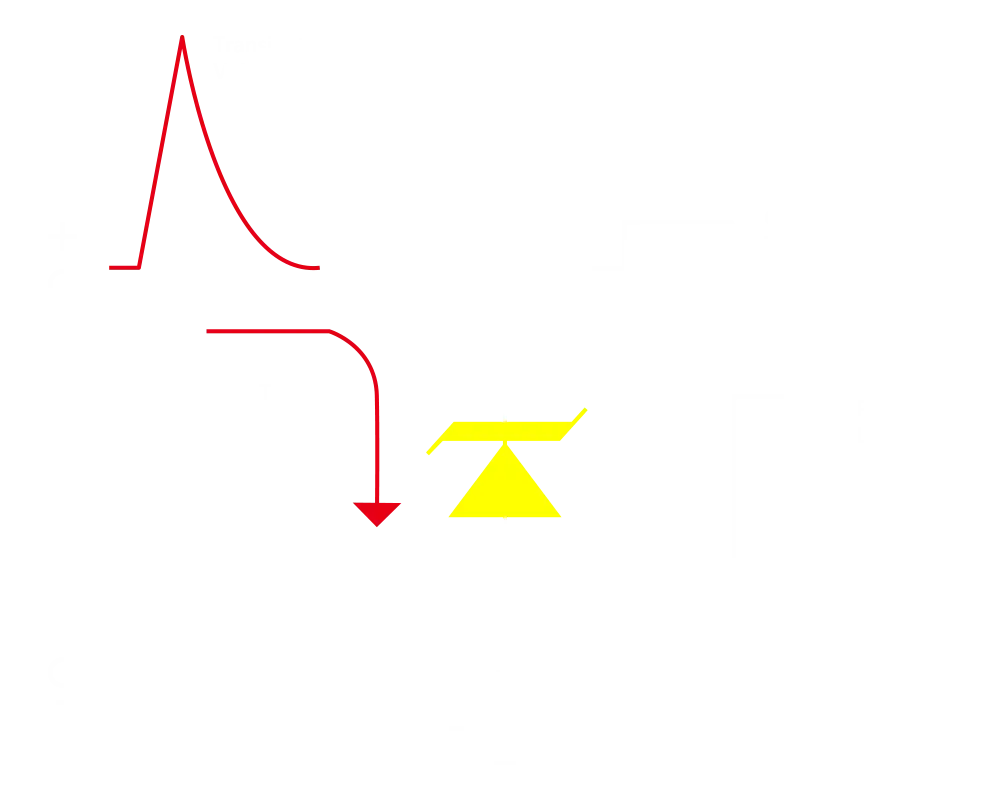
Transient Voltage Suppressors (TVS)
Transient Voltage Suppressors (TVS) are safety devices used to protect against excessive voltage. All motherboard models of MSI are equipped with TVS. When the voltage abnormally rises, the TVS switches from a high-resistance state to a low-resistance state, diverting the excessive voltage to ground. This helps prevent circuit damage caused by high voltage.
solid pin design
The 8-pin, and 24-pin power connectors of MSI motherboards are all designed with solid pins. The solid pin design allows for a more stable transmission of 12V power to the CPU, even when handling high current loads.
Advantages of Solid Pin Power connector
- Improved stability : Larger contact area enhances stability during power delivery.
- Low impedance : Solid pins offer low impedance, enabling efficient power flow.
- Strong durability : The solid pin design ensures strong durability, capable of withstanding demanding conditions.
- Suitable for high-current applications.

Anti-corrosive Stainless Steel IO Shield
An extra layer of sponge materials along with corrosive resistance IO Shield to help improve static electricity and reduce electromagnetic radiation noise from the system as well as much more durable compare to traditional IO Shields.


* The image above is an illustrative reference. Please refer to specification pages for more details.
Over Current Protection
MSI motherboards prioritize safety with the embedded Overcurrent Protection (OCP), ensuring crucial components such as the USB ports, DDR memory, PWM IC, and CPU are shielded from excessive current. This proactive defense mechanism curtails the risk of damage or malfunction due to power surges, promoting long-term system stability. This commitment to safeguarding your hardware underscores MSI's dedication to producing motherboards that prioritize durability and stability.


The Grounding Structure of Power Phases
The grounding structure of power phases is the MSI's exclusive design. This patented design enables to suppress the electromagnetic interference (EMI) generated by the power phases and helps to efficiently conduct heat to the copper plane with grounding properties.


FROZR DESIGN
- FROZR GUARD
- FROZR SYNC
- FROZR CONTROL
- COMBO FAN
The MSI Combo Fan Header is a versatile component, functioning as both a pump and or fan header. The header will automatically detects whether it is either pump or PWM/DC fan, with it's distinctive gray color ensuring easy identification


- COOLING WIZARD
- FROZR AI COOLING
- AUTO DETECT FAN
Cooling Wizard serves as a comprehensive solution for managing fan settings across all MSI products. It ensures superior cooling performance and noise reduction for your gaming PC, offering compatibility with PWM/DC fans and pumps, customizable options, and intuitive temperature monitoring for optimal operation with one click.

Multiple Profiles
Save up to 5 profiles for multiple occasions


Smart Fan & Manual Fan
-
Smart Fan
Allow users to change the temperature curve with the 4 dots provided
-
Manual Fan
Allow users to manually change the temperature at a set percentage


User Scenario
-
Follow MSI Center Mode
Adjust fan settings according to the mode selected in User Scenario
-
BIOS Mode
Adjust Fan settings in BIOS
-
Customize by User
Customize fan settings by the users


Frozr AI Cooling targets CPU and GPU temperatures. The AI system detects CPU and GPU temperatures and automatically adjusts the fan duty of system fans to ensure optimal performance.
MSI fan headers automatically detect fans running in DC or PWM mode for optimal tuning of fan speeds and silence. Hysteresis also makes your fans spin up fluently to make sure your system stays silent, no matter what.

TRILINK
- networking
- storage
- Expansion
- AI Lan Manager
AI LAN Manager
MSI AI LAN Manager automatically classifies and prioritizes the latency-sensitive applications for online games, giving you the best online gaming experience with low latency.
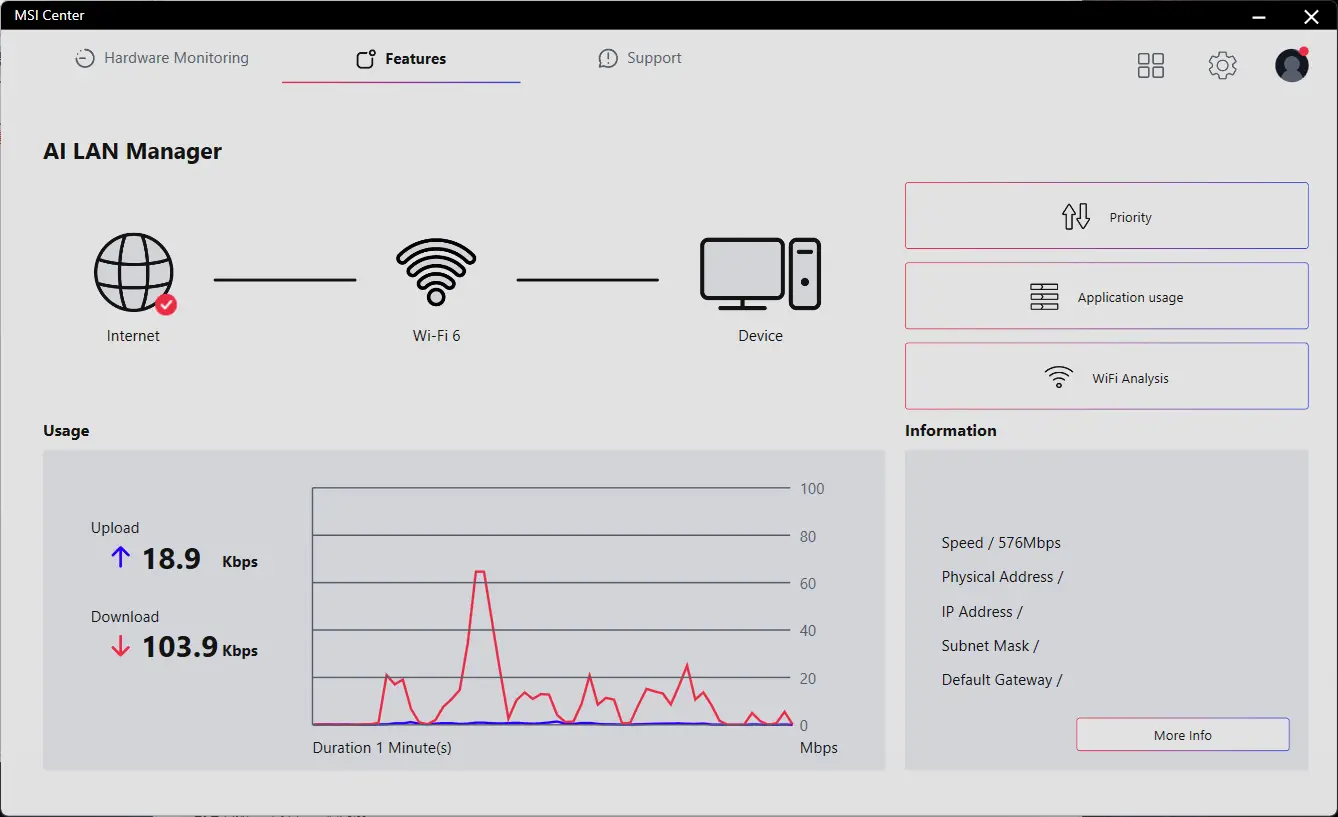
MSI AI LAN MANAGER
- Automatically prioritizes games above other applications
- Allows to change applications' traffic priority
- Allows to customize bandwidth for each application
- Analysis Wi-Fi signals to select the best source.
- FRONT USB TYPE-C
USB FRONT TYPE-C
MSI Gaming motherboards support USB Front Type-C that allows gamers to connect with the latest USB devices. Built up a system with MSI PC case to have the most convenient experience.


Experience
- audio
- mystic light
- BIOS
- Software
- Audio Boost
- Isolated Analogy Structure
audio boost
- HIGH DEFINITION AUDIO PROCESSOR
- HIGH QUALITY AUDIO CAPACITORS
- HIGH QUALITY AUDIO JACKS
- ISOLATED AUDIO SIGNAL
- DE-POP PROTECTION


The Isolated Analogy Structure for Audio Connectors
To provide clear voice, MSI develops a unique structure – Isolated Analogy Structure. The external metal framework of the audio connectors is separated from the internal layout, which ensures the sound quality crisp.


* The image above is an illustrative reference. Please refer to specification pages for more details.
- Mystic Light
- Synchronized
Splash on some color and vibrant RGB lighting effects using Mystic Light utility of MSI Center, which has million colors and fancy LED effects. Enjoy the full control and creativity of your PC's lighting with one software.
-
Wave
-
Steady
-
Flame
-
Breathing
-
CPU Temperature
-
Color Ring
-
Lightning
-
Receration
-
Meteor
-
Default
Add more color if you want! Mystic Light Extension pin header provides an intuitive way to control additional RGB strips and other RGB peripherals added to a system, without needing a separate RGB controller.
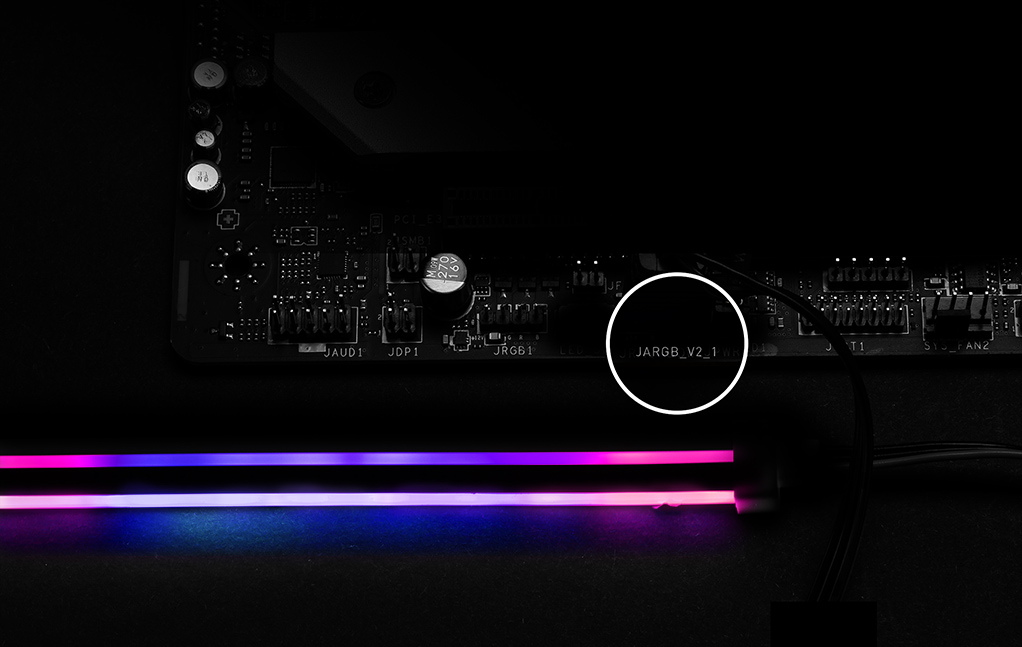
*Gen2 device only supports 7 RGB themes


- Click BIOS X
- BIOS KEY FEATURES
MSI’s newly designed CLICK BIOS X offers an aesthetically pleasing and user-friendly experience. The new design ensures that users of all experience levels can quickly access and adjust system configurations with ease.


- MSI CENTER
- AIDA64
- NORTON 360
MSI CENTER
MSI brand new MSI Center unifies a suite of MSI software utilities into a single centralized application. Take control of advanced motherboards features and unleash endless possibilities.


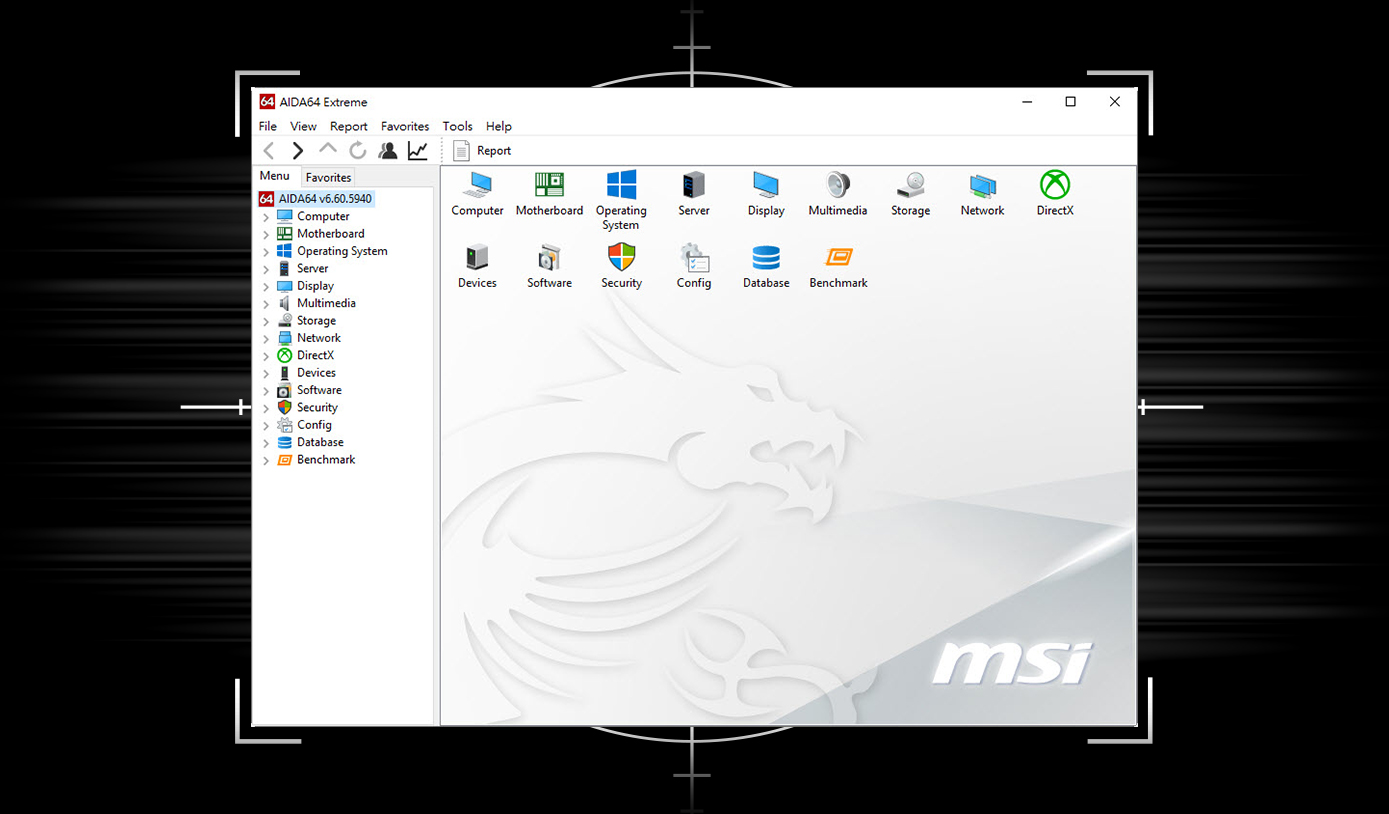
MSI motherboards provide 60 days free trial of AIDA64 Extreme - MSI edition. AIDA64 Extreme is an almighty application for system information, diagnostics and benchmarks. With the application, you can monitor the detailed hardware and software information on PC and save it to file in multiple formats such as CSV and HTML.
Multiple layers of protection for your devices, online privacy features including our Secure VPN, plus Dark Web Monitoring - all in a single solution. With MSI motherboards, you can enjoy a 60-day free trial of Norton 360.
- Up to 50 GB PC cloud backup
- Real time Threat protection and Smart Firewall
- Password manager
- PC SafeCam

The MSI trial offer is not available for existing Norton customers. If you have an active Norton subscription, you will need to opt-out of the existing subscription to be eligible for this offer. For Important Subscription, Pricing and Offer Details, please refer to NortonLifeLock License and Services Agreement. NortonLifeLock Product and Service Privacy Notices.
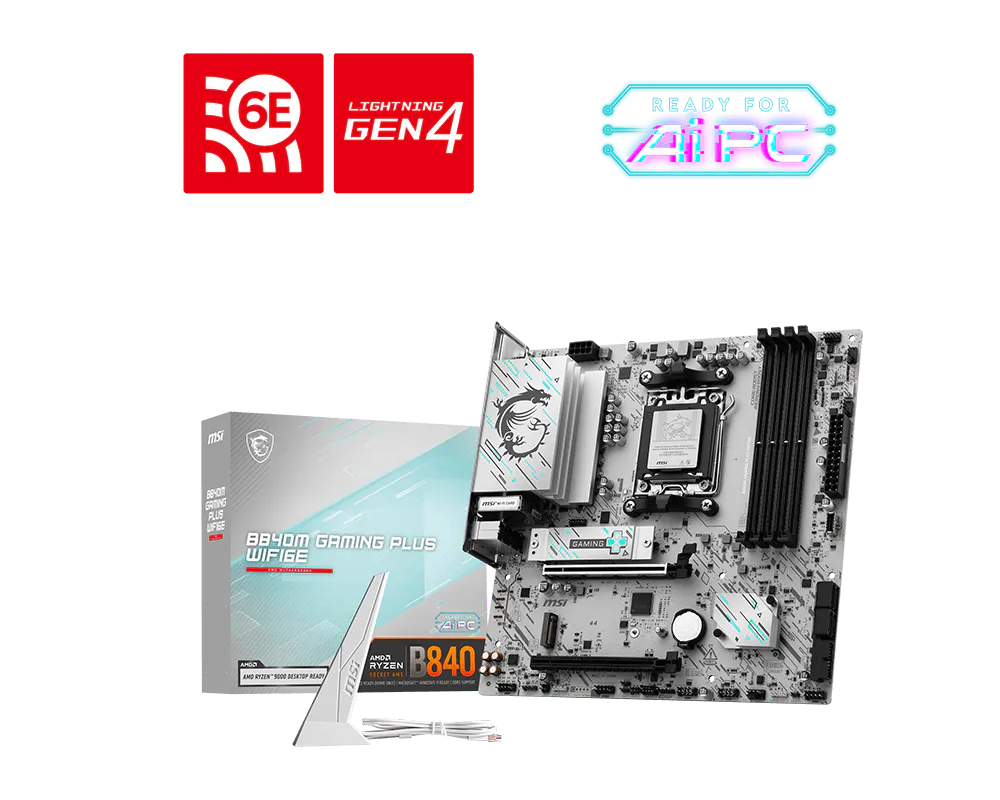
B840M GAMING PLUS WIFI6E
- Supports AMD Ryzen™ 9000 / 8000 / 7000 Series Desktop Processors
- Ultra Performance: 7+2+1 Phase Direct CPU Power, 8-pin CPU power connector, Core Boost, Memory Boost, 6-layer PCB with 2oz thickened copper
- Supports DDR5 Memory, Dual Channel DDR5 8000+ MT/s (OC)
- Frozr Guard: Extended Heatsink, MOSFET thermal pads rated for 7W/mK, additional choke thermal pads and M.2 Shield Frozr II are built for high performance system and non-stop experience
- Lightning Fast Game experience: PCIe 4.0 slot, Lightning Gen 4 x4 M.2, Front USB Type-C
- High-speed Connectivity: Wi-Fi 6E with 2.5G LAN - The latest solution for professional and multimedia use, delivering secure, stable, and high-speed networking and data transmission
- EZ DIY: EZ M.2 Clip II, EZ PCIe Clip II and EZ Antenna
- Audio Boost: Reward your ears with studio-grade sound quality for the most immersive gaming experience